HARD LOCKDOWN
Distractions close. Then they stay closed.
A background agent checks every two seconds. Reopen Discord and it's gone before the splash screen finishes. Sites drop at the network layer.
 Lockdown
2.1
Lockdown closes the apps you can't resist, blocks the sites that eat your afternoon, and puts an on-device coach in the chair next to you. One click. No willpower required.
So Lockdown doesn't ask you to be strong. It changes what's possible. Every rule is enforced below the thing you're trying to protect: your attention.
A background agent checks every two seconds. Reopen Discord and it's gone before the splash screen finishes. Sites drop at the network layer.
No "are you sure?" dialog. Ending early means waiting out the pause you chose, then typing your own sentence exactly. Enough friction to stop autopilot.
Blocked at the network layer and in browser policy — not just one browser window. Whole categories or your own domains.
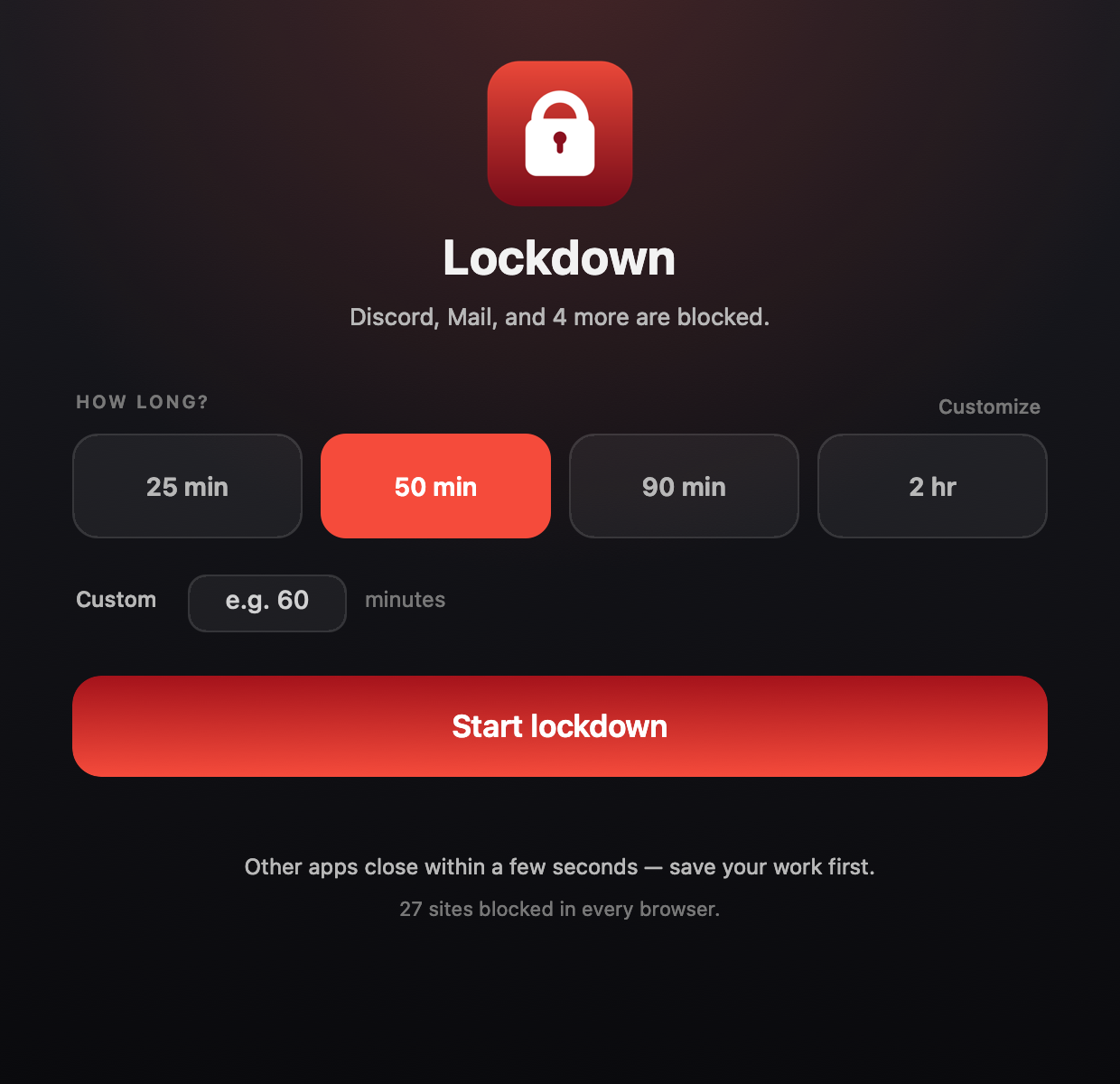
Only your study apps? Or everything except YouTube, Roblox and Discord? Pick a side, then search 70+ installed apps and flip the switches.
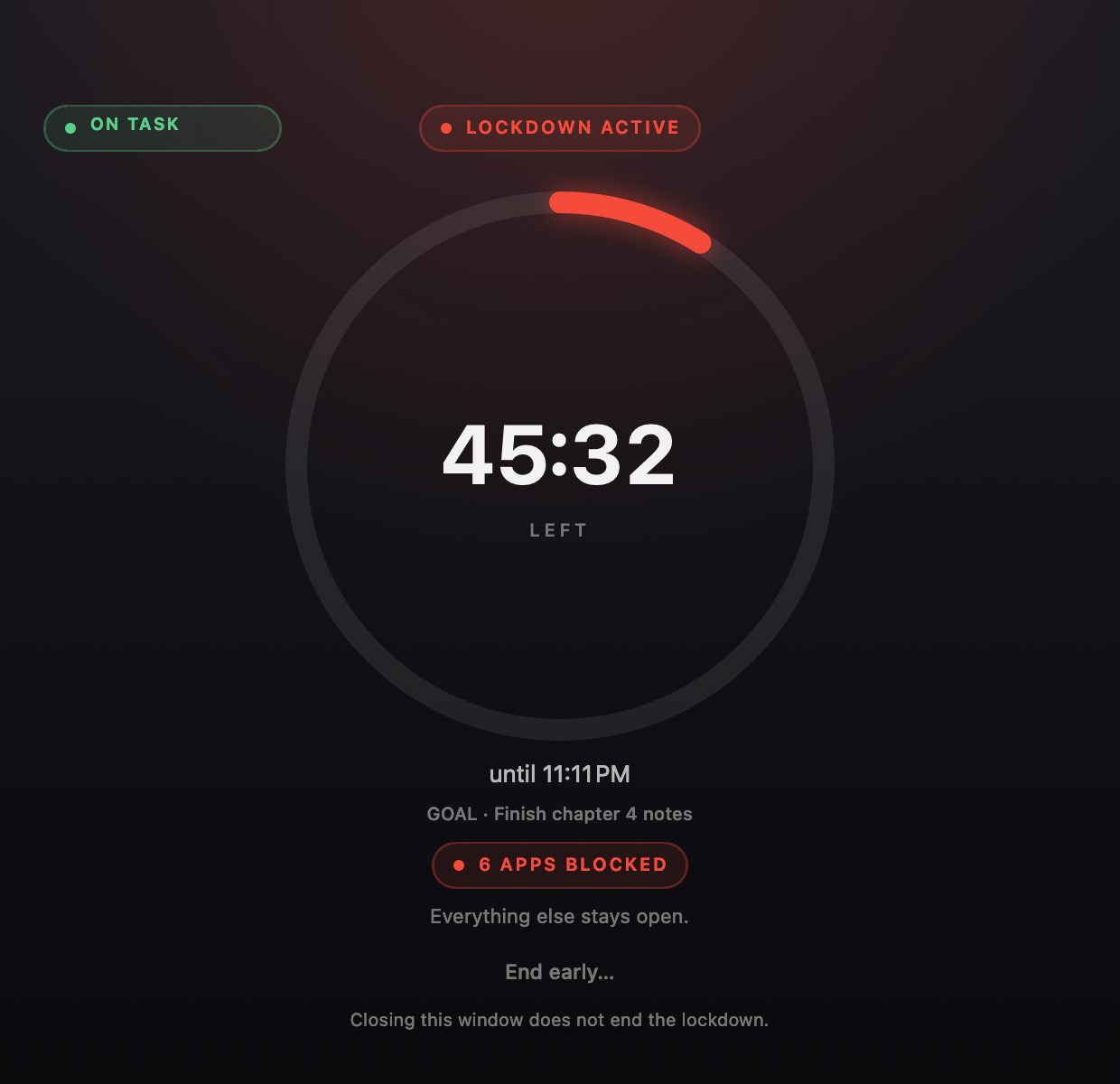
A live lock and countdown sit in your menu bar. Minutes left sit on the Dock icon. A full ring waits when you need the whole picture.
The moment you hit start, your rules are snapshotted into root-owned state. Changing the config mid-session won't reopen anything.
Search apps, toggle site categories, add custom domains, edit four presets, and write your own escape sentence — plus the pause before you can type it. All in one native window.
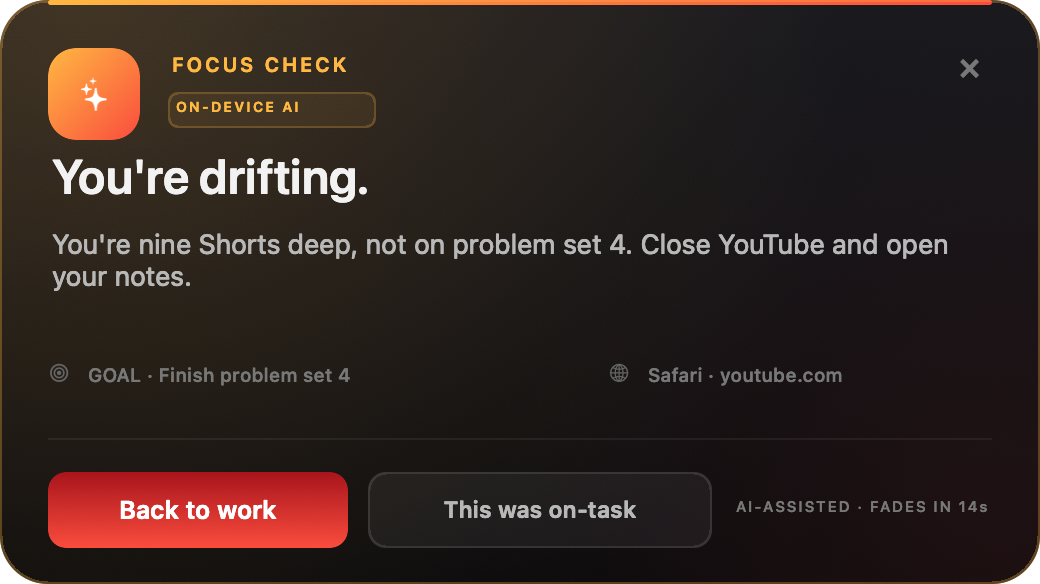
Tour the control roomAt the start of every session you type one sentence: what you're actually doing. Apple Intelligence reads the active app, tab, window title and visible text on your Mac. If your Mac can't run it — or you'd rather offload the work — a free Gemini key takes over. If a "quick check" becomes nine Shorts, it nudges you with the next move.
Lockdown switches to Gemini automatically. Create a free key in Google AI Studio — Google account, no card — and paste it in Settings.
Get a free Gemini keyNo iPhone app. No entitlement. No cloud. Point your iPhone's Wi-Fi DNS at your Mac once, and while a session runs the same site list applies on both screens.
Same Wi-Fi only. Cellular and private DNS can bypass it. Switch DNS back to Automatic when you're done.
Every rule is one switch away — and every switch is frozen the moment the countdown starts. This is a tool, not a negotiation.
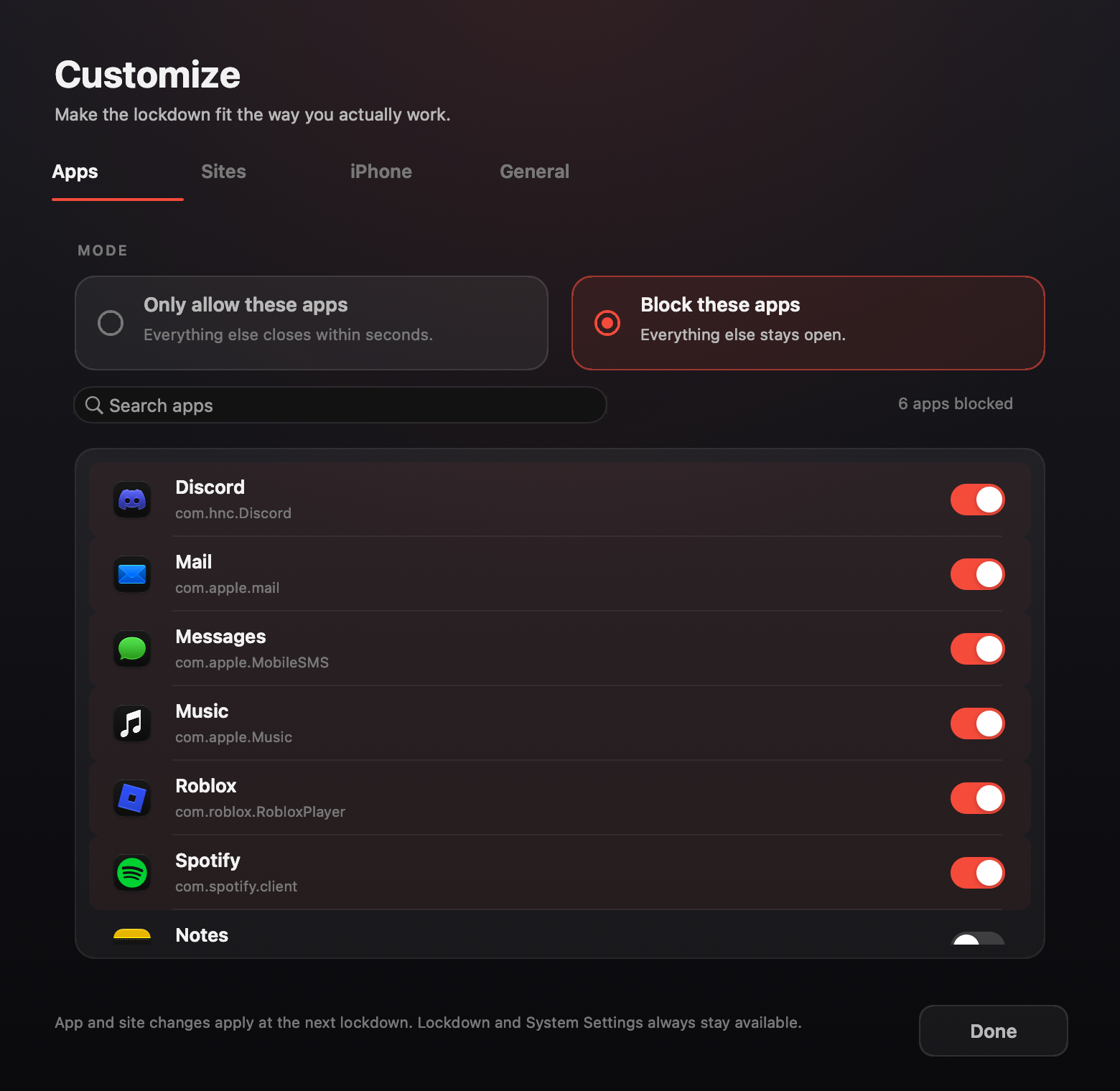
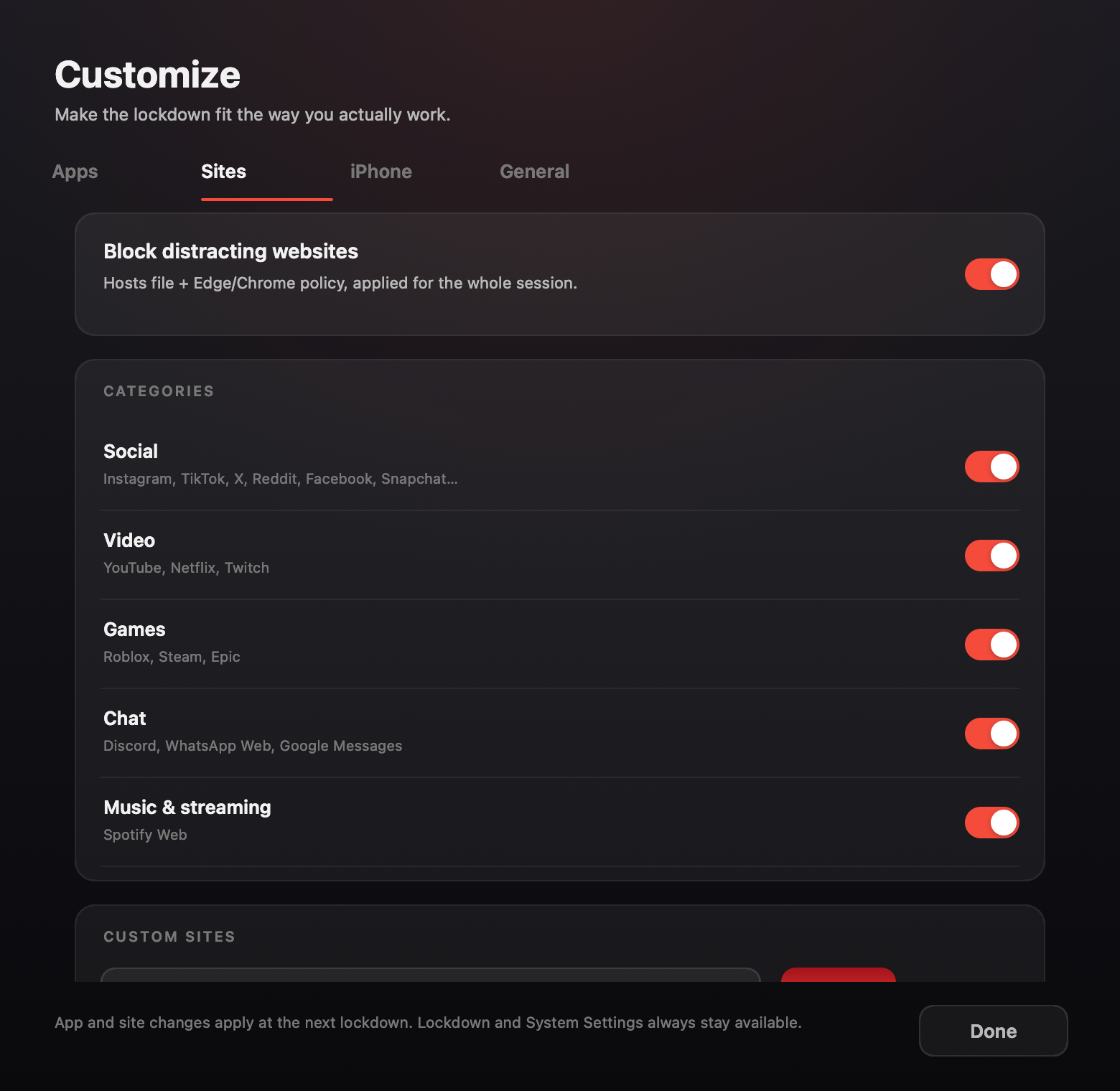
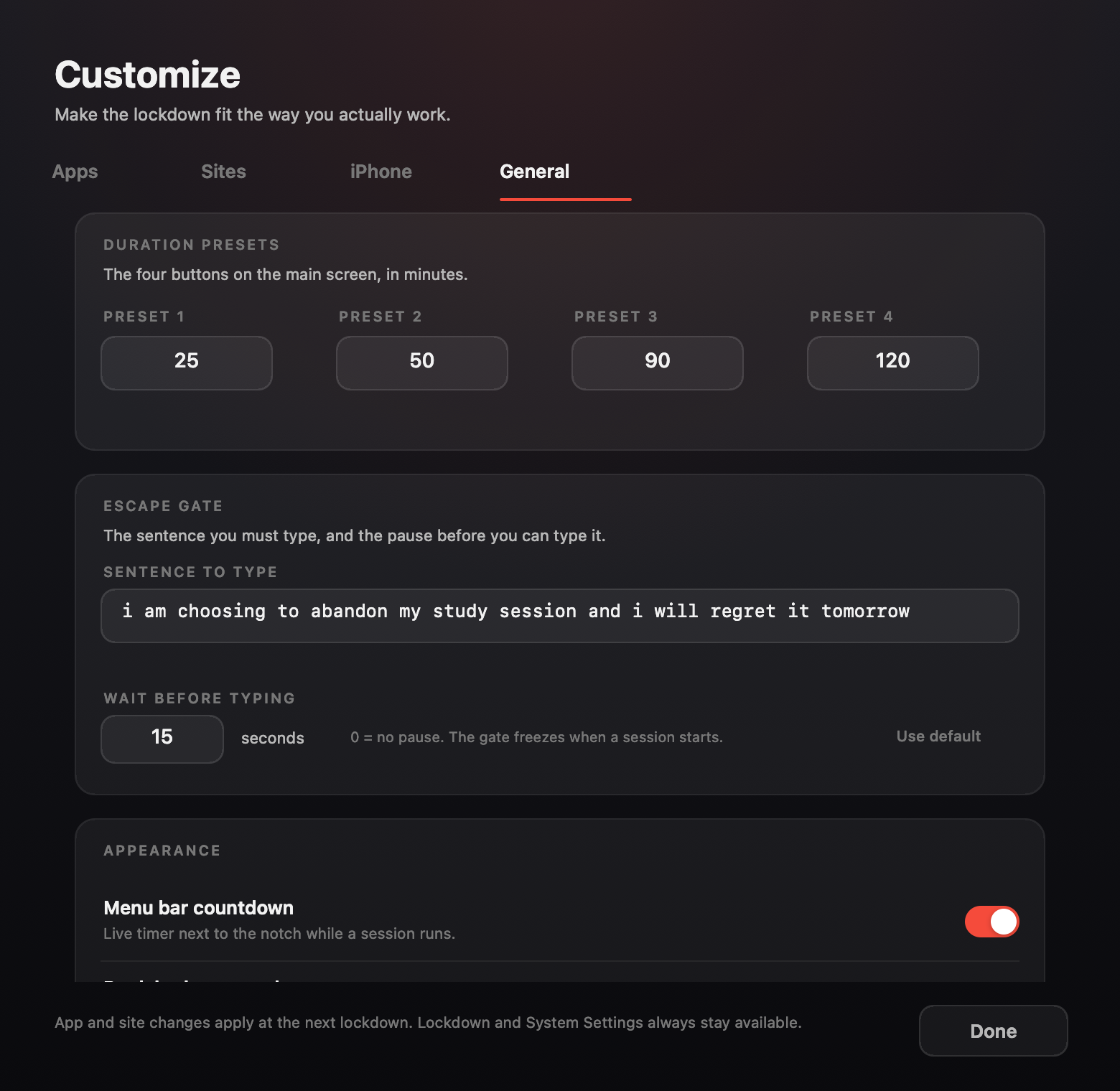
Pick a side, search your apps, choose your sites. Then set a duration. It takes less time than opening Instagram.
One click. The rulebook freezes, the hosts block goes in, and every other Dock app is asked to leave.
The timer follows you. Reopen something and it closes. To end early, you have to type the sentence.
GET LOCKDOWN
One admin prompt installs the background enforcer. After that, every session is a single click.
Download for macOS On Windows? Get the free betaWindows has no Apple Intelligence, so the coach runs on a free Gemini key or a local Ollama model. The lockdown itself still blocks the same sites, closes the same distractions, and keeps the same clock.
macOS 26+
Native Swift. Apple Intelligence on-device by default, with automatic Gemini fallback, menu bar + Dock timer, and the iPhone Wi-Fi shield.
PowerShell + WPF. Blocks the hosts list, closes blocked processes, and runs the same goal-based coach on Gemini or local Ollama.
Unsigned beta. Unzip and run Start Lockdown.cmd as administrator.
Yes. Click End early, wait out the pause you configured, then type your sentence exactly. The default is a 14-word confession; both the sentence and the wait are editable in Settings → General → Escape gate. No copy button, no skip.
Save before you start. Lockdown asks apps to quit within seconds and force-closes anything that refuses after 30 seconds. The start screen tells you this too.
It closes regular Dock apps that aren't on your allowlist. Menu-bar utilities, system agents, Finder and the Lockdown app itself keep running. Lockdown and System Settings are always available so you can get out.
Your iPhone's Wi-Fi DNS points at your Mac. While a session is active, the same distracting domains resolve to 0.0.0.0 on your phone. It works on the same Wi-Fi; cellular and private DNS can bypass it. No iPhone app, entitlement or account.
You can edit the config, but the session runs on a frozen snapshot. Changes apply to the next lockdown. That's deliberate.
At the start of a session you type one sentence: what you're working on. About every 25 seconds on-device, or every minute with Gemini, the coach reads the frontmost app, the active browser tab and window title, and — if you grant Screen Recording — the visible text of that window. Apple Intelligence judges it on-device. Nothing is uploaded, and the screenshot is discarded after the text is read.
Only during an active session, and only the frontmost window. It has its own switch in General. Screen awareness is optional — without it the coach still sees the app and browser tab, which catches most detours.
Open Google AI Studio with a Google account, choose Get API key, create a key, and paste it into Lockdown → General → Focus AI → Cloud. No card is required. Free-tier limits apply. The key is stored in your Mac Keychain and can be revoked in AI Studio at any time.
Yes — a free PowerShell + WPF beta. It blocks the hosts list, closes blocked processes, and uses Gemini or local Ollama for the coach. Its escape sentence and pause are customizable too. Download it from the platforms section. It is unsigned and runs as administrator.
By default, no. On-device Apple Intelligence keeps everything on your Mac. If you switch Focus AI to Cloud, the active activity text goes to Google’s Gemini API with your own key. There is no Lockdown account and no telemetry. The rules, timer and site block stay local.
Yes, on macOS. The session state and rule snapshot are root-owned. The enforcement agent reloads at login and the helper cleans up when the timer expires. The Windows beta keeps the hosts block across a crash but needs the app open for process blocking.
Closing apps, editing /etc/hosts and writing browser policy are protected operations. A one-time installer puts a small root helper in place so the app itself never needs your password again.
DOWNLOAD STARTED
Your download should begin automatically. If it didn't, download it here.